
With the 2027 software releases coming this fall, Apple is bringing powerful new features to services users. New offerings include improved Flyover views and Local Lists in Apple Maps, flexible sharing options in Find My, the ability to use Visual Intelligence to split bills with Apple Cash, video podcast support across Mac and tvOS, revamped Shared Albums in iCloud, and a new program for Apple Fitness+.
"We're excited to bring powerful new features and intelligence to hundreds of millions of users across Apple services, making their experiences even more useful and fun," said Eddy Cue, Apple's senior vice president of Services. "From new exploration tools with Flyover and Local Lists in Maps, to more convenient ways to pay and get paid in Apple Wallet, to the continued expansion of video podcasts in Apple Podcasts on Mac and in tvOS, and so much more - these updates reflect our commitment to creating experiences that truly make a difference in people's lives."
Apple Maps Introduces Enhanced Flyover and Local Lists
Apple Maps brings an enhanced Flyover experience, which combines aerial imagery with AI to enable users to view imagery in stunning detail for select cities around the world like never before. Whether scouting a location before a trip or simply exploring a city from a new perspective, the enhanced experience gives users a sharper and more lifelike glimpse into destinations across the globe.

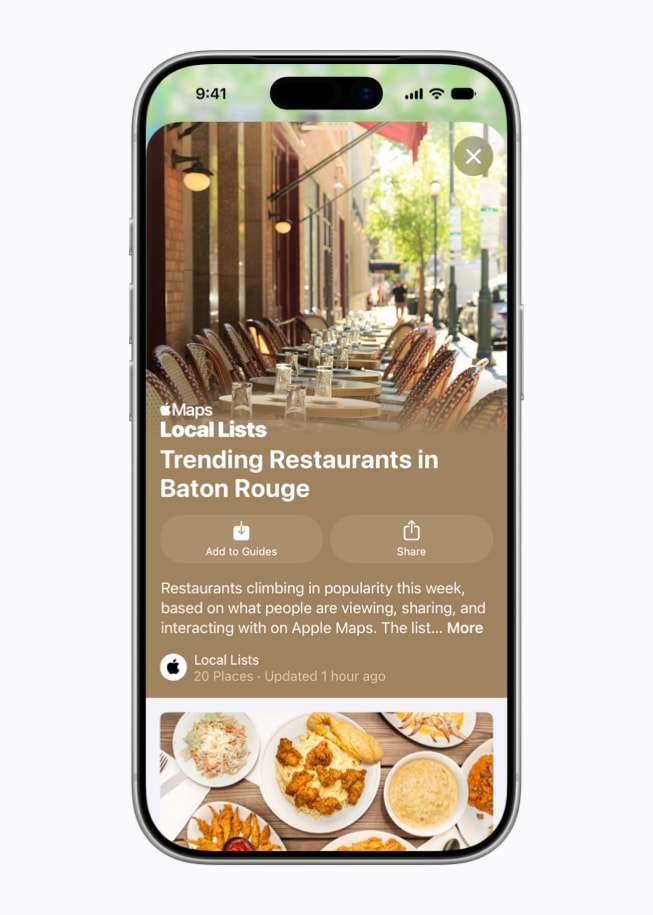
With Local Lists, Apple Maps users in the U.S. can find the perfect spot for meeting friends, dining, and more. Using intelligent insights from what's trending, Maps surfaces locally relevant collections of places - from trending restaurants to great spots to take kids - so it's easy for users to find what they are looking for. All insights are derived with privacy in mind and never tied to individual users.
Find My Gets Flexible Sharing Options and a Consolidated watchOS App
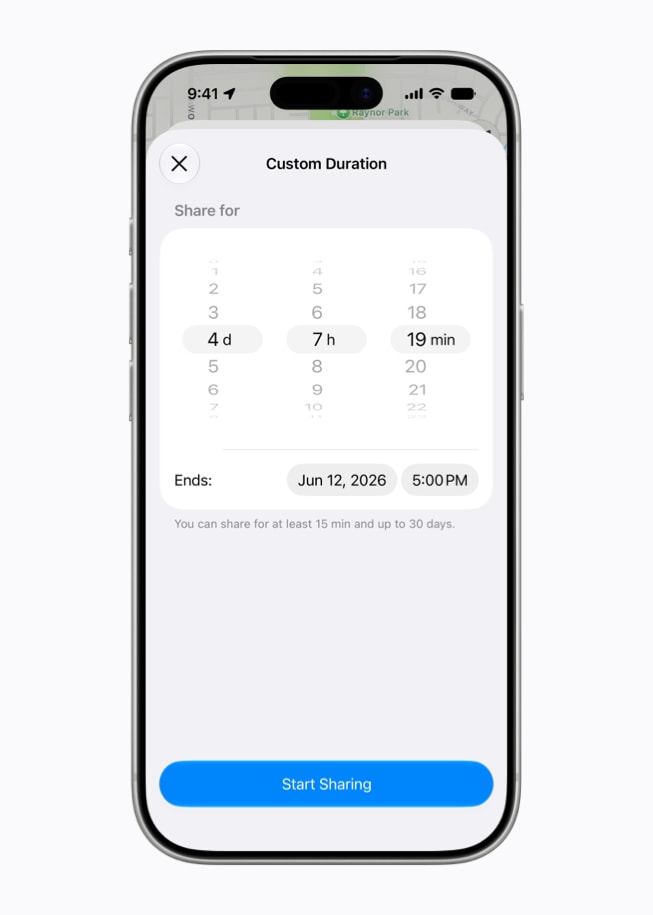
Coming this fall, users will have more control over how they share their location with friends and family using Find My, with new options to share for a custom duration - either for a number of minutes, hours, or days - or even set a date and time for when sharing will stop. This makes it easy for users to share their location while attending an event, or for a long weekend getaway with friends and family. Users can also pause location sharing until the end of the day for specific people, so a user can shop for an anniversary present or show up for a surprise party without spoiling the reveal.
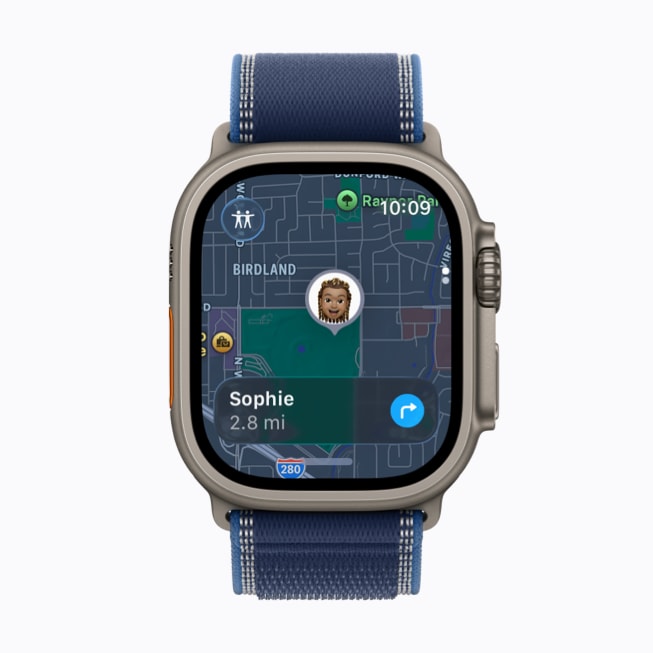
On Apple Watch, a new unified Find My app replaces the Find Devices, Find Items, and Find People apps. The new Apple Watch app's map-centric user interface makes it even easier for users to locate their friends and family, devices, and items. The Find My app offers access to key actions, including getting directions, finding devices and items when nearby, prompting a device to play a sound, or viewing contact information. Users can now also use Precision Finding in the Find My app to help locate their paired iPhone, AirTag (2nd generation), and AirPods Pro 3.1
Apple Wallet Makes It Easy to Split Bills, Manage Passes
This fall, everyday interactions in Apple Wallet become more seamless and intelligent. With iOS 27, users can split bills using Apple Cash and Apple Intelligence, making it easy to settle up after meals with friends.2
Users can simply scan a receipt with their iPhone camera, or use a photo of a bill to split it with friends. This capability is available in Messages, in Apple Wallet, or by using Visual Intelligence onscreen and with the iPhone camera. For example, the new Siri mode in the Camera app lets users get information and take action on what's in front of them. When users point their iPhone at a receipt using Siri mode, it can surface the relevant action to split a bill with Apple Cash and identify the items on the receipt. As users select their items, their total payment is calculated, including their share of tax and tip, so they can pay back exactly what they owe with Apple Cash.
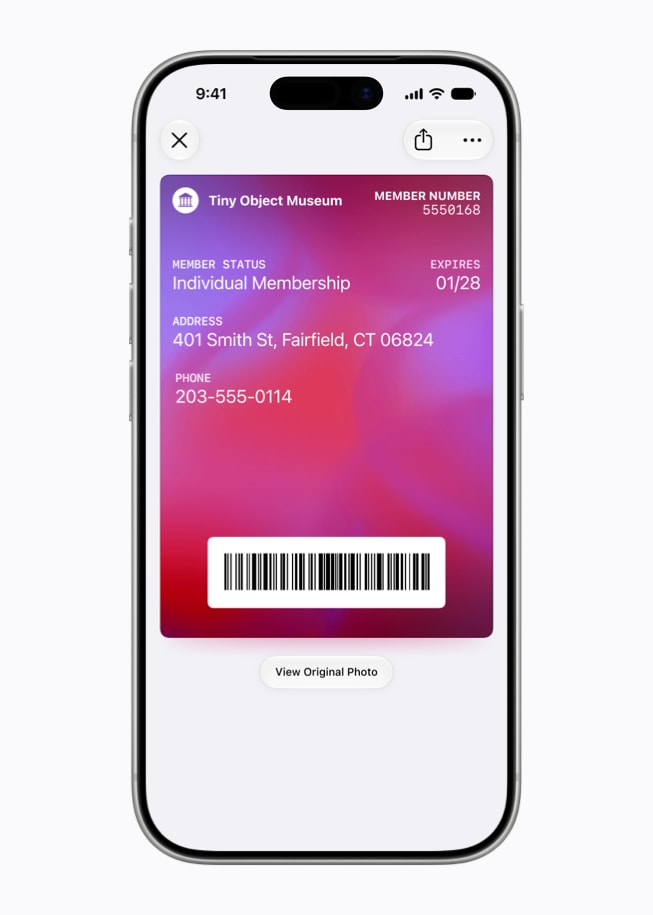
iPhone and Apple Watch users will be able to create and store passes in Apple Wallet from physical cards, like loyalty or membership cards, eliminating the need to fumble through pockets and bags. With Siri mode in the Camera app, users simply point their iPhone at any physical card with a barcode or even screenshot a digital one, and they'll be prompted to save it to Apple Wallet. Users can also create and add a pass directly from Apple Wallet. Once added, passes are ready to present as a barcode or QR code right from their iPhone or Apple Watch. For even faster access on the go, passes can be pinned to the Smart Stack on Apple Watch, keeping them just a raise of the wrist away.
With iOS 27, Apple Wallet will offer an enhanced key experience for participating hotels and resorts. Today's key experience allows guests to seamlessly unlock their rooms and hotel amenities using their iPhone or Apple Watch. And with the new enhanced key experience, they will also be able to view even more details about their trips, receive timely updates about booked activities, access services available during their stay, and more - all in one place in Apple Wallet.
More Seamless Checkout Experiences with Apple Pay and Tap to Pay on iPhone
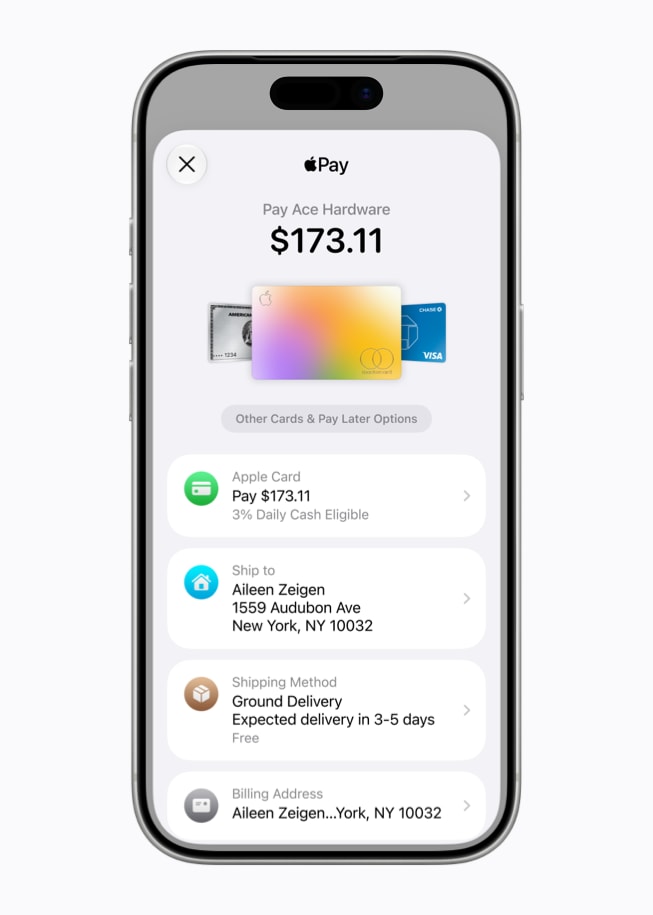
This fall, Apple will introduce an updated design for users when they check out online and in-app with Apple Pay, so they can make more informed payment decisions and easily choose payment methods that best suit their purchases. The updated design allows users to seamlessly swipe to switch cards, and for those with an eligible card in Wallet, it also more conveniently surfaces important information, including rewards balances, debit account balances, pay later options, and more. And later this year, users will be able to use Apple Pay to seamlessly add funds to an eligible debit card directly in Apple Wallet or when checking out online.
Additionally, since introducing Tap to Pay on iPhone, Apple has enabled tens of millions of merchants of all sizes in over 50 countries and regions to accept contactless payments with just an iPhone, no additional hardware needed. In the fall, the in-store checkout experience with Tap to Pay on iPhone gets even further enhanced with Tap to Share.3 With just a tap, customers can connect to a participating merchant's iPhone for a more personalized and faster in-store purchase experience that allows for secure sharing of information, such as email and other contact information, shipping address, loyalty rewards information, and more.

Customers will also be able to view the items in their basket in real time so they can keep track of what they've purchased and ensure all sales and discounts are properly applied. And when it's time to pay, customers can pay right on their iPhone with Apple Pay using the updated design - without the need to tap again.
Apple Podcasts Expands Video to macOS and tvOS; Adds More Precise Searching
This fall, Mac users can watch video podcasts in a new enhanced experience on Apple Podcasts, with Picture in Picture support that lets them view episodes while multitasking. This brings the full podcast experience to Mac with audio and video content, complete with transcripts, timed links, and chapters all in one place.4
Apple Podcasts in tvOS also features a complete redesign with video podcast playback, a new sidebar navigation for easier browsing, and support for podcast creators' episode and show artwork. The update makes it simple to discover and enjoy video content on the big screen.
Additionally, a new search within show feature helps users across iPhone, iPad, Mac, Apple Vision Pro, and on podcasts.apple.com find the right episode faster by searching directly within a show from its See All Episodes view.

Revamped Shared Albums; More iCloud+ Benefits
iCloud Shared Albums add full-resolution sharing, support for more file types, emoji reactions, updated activity feeds with the ability to see activity per album, and new temporary albums that allow users to collaborate on short-term projects without taking up space in their iCloud. Anyone, including users without an Apple device, can join and contribute photos to albums on the web, making preserving group memories easier than ever.
Most iCloud+ subscription plans offer higher daily usage limits for Apple Intelligence features, including image generation, along with Apple Intelligence support for compatible Home cameras.
Lyrics Translation, Lyrics Pronunciation, and AutoMix Enhancements on Apple Music; Lossless Audio in tvOS
Lyrics Translation will expand to seven new language pairings, seamlessly translating the lyrics from users' favorite tracks from English to French, English to German, English to Italian, English to Korean, English to Spanish, French to English, and Japanese to English.5 Using machine learning to translate the lyrics - with fine-tuning from language experts - Lyrics Translation ensures that the true emotion, cultural nuance, and original lyrical intent of every song is preserved.
Lyrics Pronunciation, which enables users to sing along when lyrics are in another language, will also expand to include five new pairings, including Arabic to Romanized Arabic, English to Hangul, English to Katakana, Japanese to Hangul, and Mandarin Chinese (simplified) to Katakana.6
AutoMix has added a whole new layer of energy and excitement to the experience with even better transitions that feel more immersive and engaging for listeners. AutoMix will also be available on Apple Music in tvOS and on HomePod.
Apple Music is also bringing Hi-Res Lossless Audio to tvOS, in addition to standard Lossless Audio. Subscribers with compatible external speaker outputs will be able to enjoy their favorite songs in the highest audio quality and experience studio-quality sound directly through their Apple TV 4K.
Elevated Sports Experiences for Fans
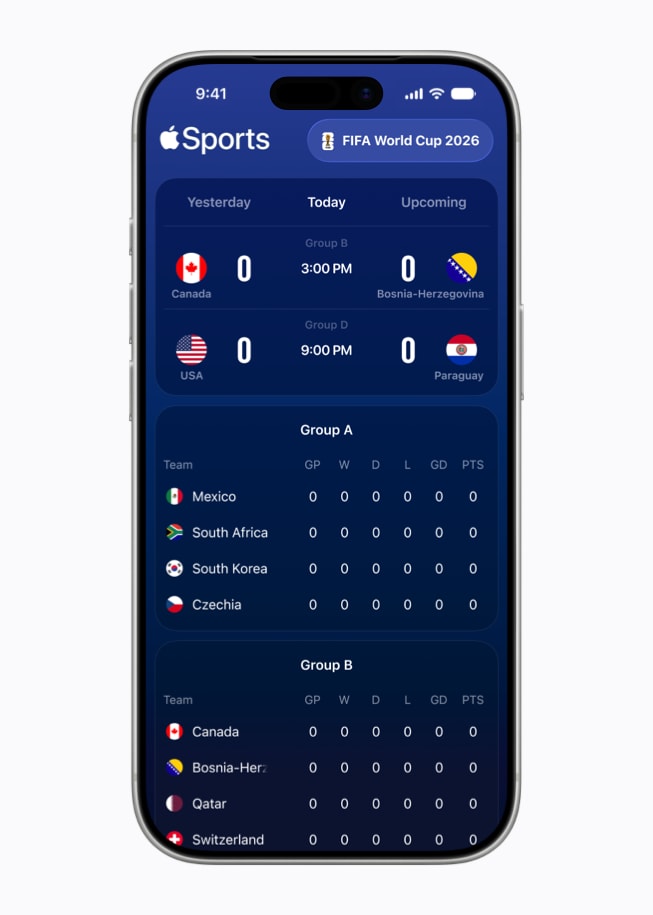
Apple TV continues to elevate the fan experience across marquee sports leagues and moments, including "Friday Night Baseball," Major League Soccer, and Formula 1® in the U.S. Fans can use the free Apple Sports app for iPhone to get real-time scores, stats, standings, and more - in over 170 countries and regions worldwide, including over 90 newly added markets.
Strong Through Menopause with Fitness+
Complementing support for perimenopause and menopause in Cycle Tracking introduced with iOS 27, Apple Fitness+ this week introduced Strong Through Menopause - a progressive three-week program featuring weekly Yoga and Strength workouts designed to help users navigating perimenopause and menopause build strength, improve balance and mobility, and reduce stress. A new episode of Time to Walk also features actor Busy Philipps sharing stories from her life, including her journey with perimenopause.
Availability
- The new features are available for testing starting today through the Apple Developer Program at developer.apple.com , and a public beta will be available through the Apple Beta Software Program next month at beta.apple.com


