Apple's latest software updates introduce Siri AI, a more intelligent, knowledgeable, and capable version of Siri, and deliver helpful new Apple Intelligence features that make the apps users interact with day to day smarter and more useful. The updates also bring powerful and intuitive new features to help parents create safer, more enriching digital experiences for kids and introduce an expansive set of improvements that make Apple products more responsive, more delightful, and easier to use.
Making Apple Products More Personal and Useful Than Ever
Siri AI is an entirely new version of Siri powered by the next generation of Apple Intelligence and deeply integrated into iPhone, iPad, Mac, Apple Watch, and Apple Vision Pro. A more capable and conversational assistant with personal context understanding, broad world knowledge, onscreen awareness, and even more systemwide app actions, Siri AI is now rolling out as a beta in English, with support for French, Japanese, Korean, Portuguese, and Spanish coming in October.
Siri AI can understand personal context across messages, emails, photos, and more, to help users find what they need in the moment. It can also answer questions related to the content on a user's screen or go out to the web to get up-to-date information to generate a helpful answer. Siri is integrated into the Camera app on iPhone with Siri mode, allowing users to get information and take action on what's in front of them, like splitting a bill and paying friends with Apple Cash,1 or adding a custom pass to Wallet. With Visual Intelligence, users on iPhone, iPad, or Mac can now ask Siri about what they're looking at on the screen, and Vision Pro users can search, ask questions, and take action simply by looking at their surroundings and asking Siri.
With Write with Siri, users can simply describe what they need to generate a draft or help refine what they've written. A dedicated Siri app uses iCloud to privately sync conversational history across a user's products, so they can start chatting with Siri on iPhone and continue the conversation on Mac, iPad, Apple Watch, or Apple Vision Pro.
The next generation of Apple Intelligence also brings helpful new features to apps that users rely on every day. In Photos, Spatial Reframing, Extend, and an upgraded Clean Up tool provide more ways to edit photos while respecting the original moment as it was captured. Image Playground gives users the ability to create high-quality images in virtually any style, including photorealistic, and with image metadata and upcoming support for the SynthID standard, users can identify images generated or edited with AI.2 In Safari, Apple Intelligence powers new tools that automatically organize a user's tabs into topics; notify them of website changes, like product restocks or price drops; and enable the creation of custom extensions based on a description. Call Context surfaces relevant information, like a confirmation code or reservation number, when calling a business.
New Expert-Informed Child Safety Features and a Redesigned Screen Time Experience
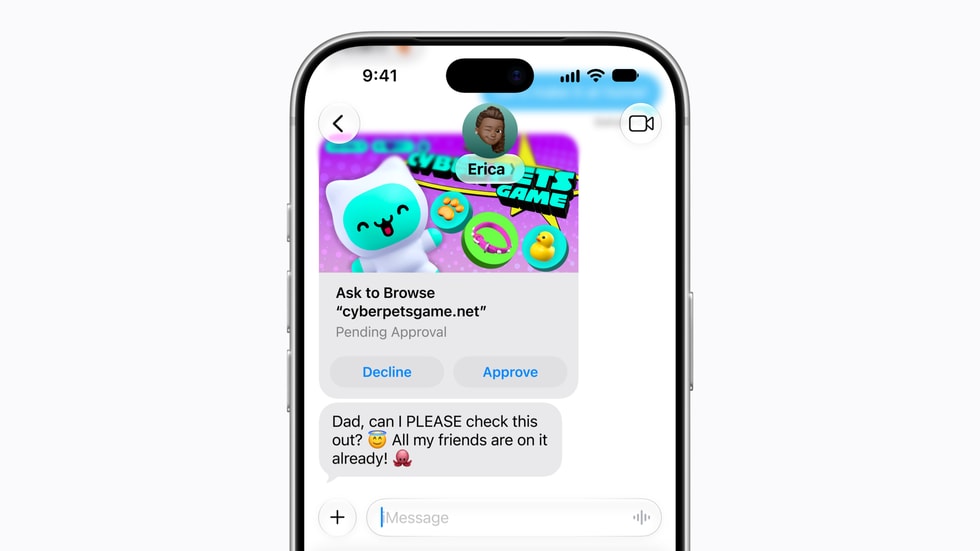
Easy-to-use new features help parents manage what their kids can see, who they can talk to, and when they have access to apps. A new setup flow for child accounts makes it easier to enable age-based safeguards across the system. From the beginning, parents can choose the exact apps their kids have access to on their device, and gradually add more over time. Ask to Browse allows parents to require approval before their kids access a new website in Safari. In addition to being able to approve each new contact their kids connect with, parents can lean on Communication Safety, which now also detects and intervenes to block gore or violent content when detected in shared images or videos.
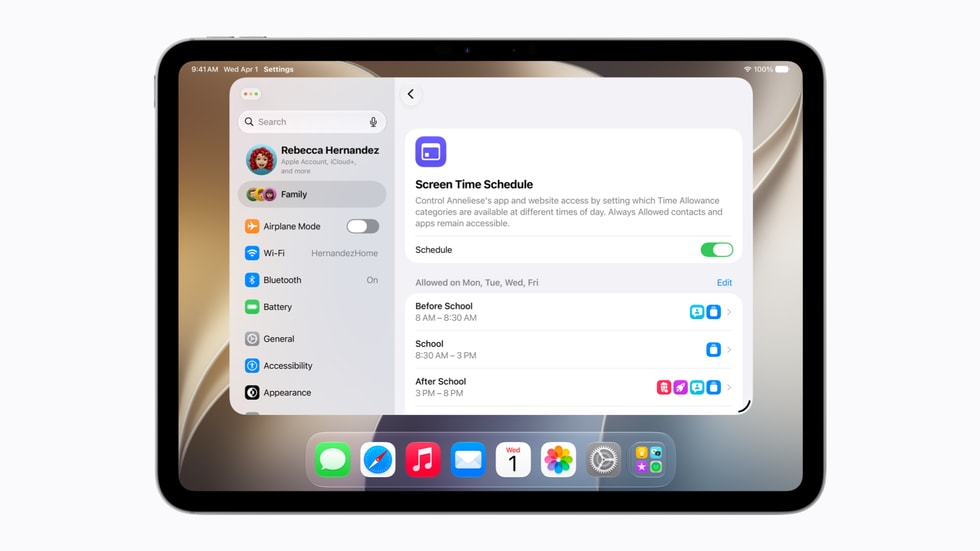
Redesigned to be more intuitive for parents, Screen Time offers an at-a-glance view of their kids' average device usage and top apps. New tools make it easy to set daily total time allowances across Entertainment, Games, and Social Media apps, with guidance from leading clinical and child development experts, and Schedules let parents manage which apps their children have access to at different points in the day.